🌐 Change language
To change app language:
- Go in your Shopify admin dashboard
- Click on Apps in the left sidebar
- Click on Léon - Theme Scheduler menu item
- Under Léon - Theme Scheduler, click on settings menu item
- If not selected, click on General tab
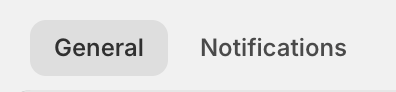
Then you have access to language settings:

note
In the futur you will be able to change language specific to notifications, while keeping another language for app interface.
Available LanguagesDirect link to Available Languages
| Flag | Language | Code |
|---|---|---|
| 🇬🇧 | English | en |
| 🇫🇷 | Français | fr |
| 🇨🇦 | Français (Québec) | fr-CA |
| 🇩🇪 | Deutsch | de |
| 🇪🇸 | Español | es |
| 🇮🇹 | Italiano | it |
| 🇵🇹 | Português | pt |
| 🇳🇱 | Nederlands | nl |
| 🇵🇱 | Polski | pl |
| 🇭🇺 | Magyar | hu |
| 🇨🇿 | Čeština | cs |
| 🇸🇰 | Slovenčina | sk |
| 🇸🇮 | Slovenščina | sl |
| 🇭🇷 | Hrvatski | hr |
| 🇷🇴 | Română | ro |
| 🇧🇬 | Български | bg |
| 🇩🇰 | Dansk | da |
| 🇸🇪 | Svenska | sv |
| 🇫🇮 | Suomi | fi |
| 🇪🇪 | Eesti | et |
| 🇱🇻 | Latviešu | lv |
| 🇱🇹 | Lietuvių | lt |
tip
If you need another language, let us know through the support chat!